

An AI coding agent can access your GitHub repository, inspect documentation, run tests, and help implement a feature. But two different things make that possible: giving the agent access to tools and teaching it how to use them effectively.
That is the difference between Agent Skills and MCP (Model Context Protocol).
One provides reusable instructions and workflows. The other provides a standardized way to connect AI applications to external tools and data. Understanding how they work together can help you build coding agents that do more than generate code.
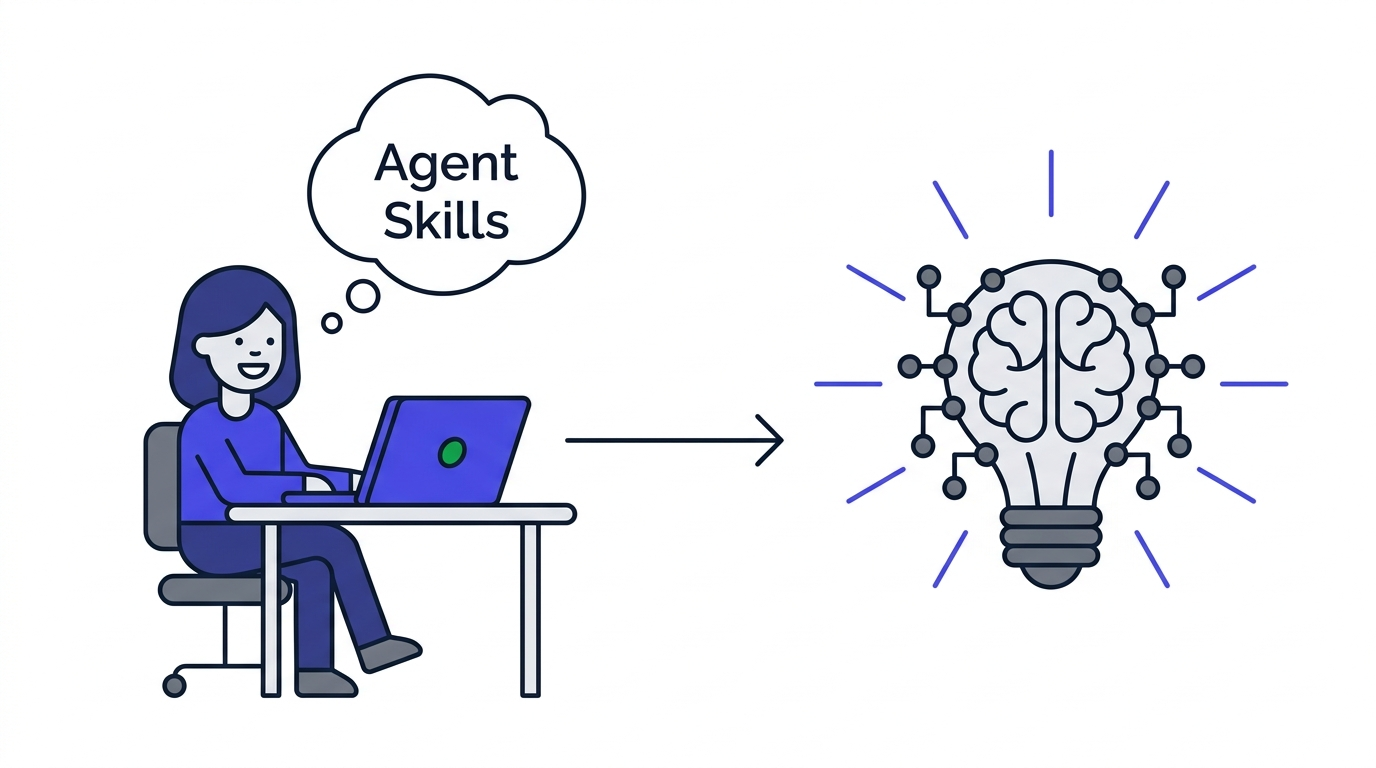
1. what are agent skills?
Agent Skills are reusable packages of instructions, knowledge, and resources that help an AI agent perform specific tasks.
A skill typically contains a SKILL.md file with metadata and step-by-step instructions. It can also include scripts, reference documents, templates, and other supporting files. The open Agent Skills specification allows compatible tools to share skills across different environments. <Cite refs={["turn331106search9","turn331106search5"]}/>
Imagine asking an agent to review a pull request. You want it to check security issues, look for missing tests, identify unnecessary changes, and follow your team's review standards.
Instead of repeating those instructions every time, you can create a code-review skill that explains the workflow.
The agent now has reusable guidance for performing that task. However, the skill does not automatically grant access to GitHub or your repository. The agent still needs an available tool or integration to inspect the pull request.
Skills teach an agent how to approach a task, not automatically what systems it can access.
2. what is MCP, and how does it work?
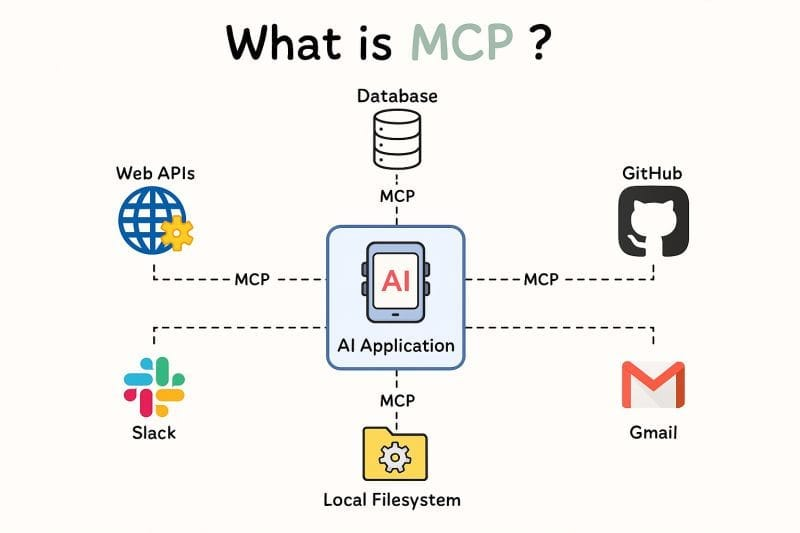
MCP stands for Model Context Protocol. It is an open protocol that standardizes how AI applications connect to external systems, tools, and data sources. <Cite refs={["turn851794search10"]}/>
Without a standard protocol, developers may need to build separate integrations for different AI applications and services. MCP provides a common interface through which compatible clients can discover and use capabilities exposed by MCP servers.
An MCP server can expose three core primitives:
- Tools: Functions an AI application can call to perform actions, such as searching a repository or creating an issue.
- Resources: Data that an application can retrieve, such as documentation or project information.
- Prompts: Reusable message templates that help structure interactions with a model. <Cite refs={["turn851794search2","turn851794search3"]}/>
For example, an MCP server could expose tools that let a coding agent search GitHub issues, inspect pull requests, and create new issues.
MCP provides the connection and capability interface. What the agent can actually do depends on the server's implementation, the client's support, and the permissions granted.
3. agent skills vs. MCP: what is the difference?
The simplest way to understand the distinction is to imagine onboarding a new developer.
MCP gives the developer access to the tools and information needed to do the job. A skill explains the procedure they should follow to complete that job consistently.
| Feature | Agent Skills | MCP |
|---|---|---|
| Primary purpose | Reusable instructions and expertise | Standardized tool and data connectivity |
| Typical contents | SKILL.md, scripts, references, templates | Tools, resources, and prompts exposed by a server |
| Main question | How should the task be performed? | What capabilities and information are available? |
| Example | How to review a pull request | Access to pull requests and repository data |
| Can they work together? | Yes | Yes |
The distinction is not that skills are intelligent while MCP is not. They operate at different layers of an AI workflow.
Anthropic's guide to combining Skills and MCP describes the same relationship: MCP connects an AI application to systems, while skills provide procedural knowledge for using those connections effectively. <Cite refs={["turn331106search3"]}/>
4. can agent skills and MCP work together?
Yes. In many workflows, combining them is more useful than choosing only one.
Suppose you want an AI coding agent to investigate a bug reported by a user.
Your MCP integration provides access to GitHub issues, repository files, and relevant logs. Your debugging skill explains how to reproduce the issue, trace the likely cause, inspect recent changes, and verify a proposed fix.
The workflow might look like this:
- The agent loads the relevant debugging instructions.
- It uses MCP tools to retrieve the issue and inspect the repository.
- It follows the skill's investigation procedure.
- It uses available tools to run tests or examine results.
- It reports the likely cause and evidence supporting the fix.
The skill provides the procedure, while MCP provides access to the systems involved.
Neither guarantees that the agent will diagnose the bug correctly. The quality of the workflow still depends on the instructions, available data, tool implementation, and verification process.
5. when should you use agent skills instead of MCP?
Use a skill when the main problem is that the agent needs to follow a repeatable procedure or apply specialized knowledge.
Examples include:
- Reviewing code according to your team's standards.
- Creating React components that follow established conventions.
- Following a database migration checklist.
- Generating technical documentation in a consistent format.
- Running a structured debugging or testing workflow.
Use MCP when the agent needs to connect to a system it cannot otherwise access through its existing capabilities.
Examples include:
- Retrieving GitHub issues or pull requests.
- Querying an external database through an authorized integration.
- Reading project documentation from a connected service.
- Creating issues or updating records in supported applications.
You do not need MCP just to teach an agent a procedure. Likewise, a skill cannot replace an integration when the agent needs access to external information or actions.
6. how to build a simple skill and MCP workflow
Start with one task that you perform repeatedly, such as reviewing pull requests.
First, create a skill that defines your review process. It might instruct the agent to understand the intended change, inspect the diff, identify potential regressions, check relevant tests, and distinguish confirmed bugs from suggestions.
Next, connect an appropriate MCP server that exposes the repository information and actions required for the task.
Then test the workflow on real examples. Check whether the agent follows the procedure, retrieves the right information, and avoids making unsupported claims.
Keep permissions narrow. Reading a pull request is different from merging it or changing repository settings. Require approval for consequential actions when appropriate, and use trusted skill sources because instructions and scripts can introduce security risks. <Cite refs={["turn331106search1"]}/>
Finally, improve the workflow using actual failures rather than adding complexity without evidence.
7. common mistakes to avoid
The first mistake is treating skills and MCP as competing technologies. They solve different problems and can complement each other.
The second is assuming that installing a skill automatically gives an agent access to every tool it describes. Instructions cannot replace missing permissions or integrations.
The third is connecting too many tools without considering security or usability. Every integration should have a clear purpose, and access should be limited to what the workflow needs.
Finally, do not assume every AI coding tool supports every skill format or MCP capability identically. Check the documentation for your specific agent and integration.
8. the bigger picture for AI-native engineering
AI coding agents become more useful when they have both the capabilities to act and the guidance to act well.
Agent Skills make specialized knowledge and repeatable workflows easier to package and reuse. MCP makes it easier for compatible AI applications to connect to external tools and information.
Together, they help developers move beyond one-off prompts toward workflows that can investigate problems, interact with real systems, and follow consistent procedures.
The real opportunity is not simply giving AI access to more tools. It is giving it the right tools, the right instructions, and a reliable way to verify the results.
"mcp gives an ai agent access to the tools. skills help it know what to do with them."